Our goal is to make turning a photo into a cross stitch pattern as easy as possible. Here are a few suggestions which may help produce nicer results.
Note: If you are looking for information on how to cross stitch, Kathleen Dyer and About.com's forums have good tutorials. The tips here are to help you generating good patterns using MyPhotoStitch.com
Use the "Enhance Image" option in the advanced form. This option boosts contrast in the image, which can produce more vibrant patterns.
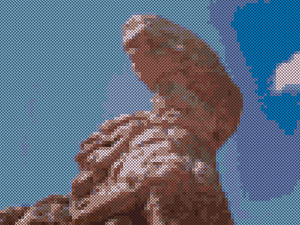
Without image enhancement
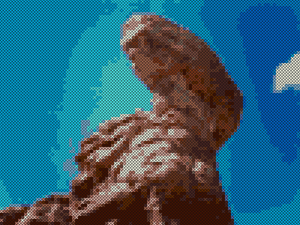
With image enhancement
Use the "Dither Image" option in the advanced form. This option breaks up large sections of a single color to produce a smoother looking transition. It works best on skys, or other areas where the color is a gradient that changes relatively slowly.
Without dithering
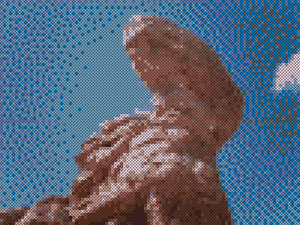
With dithering
And naturally you can use of both image enhancement and dithering:
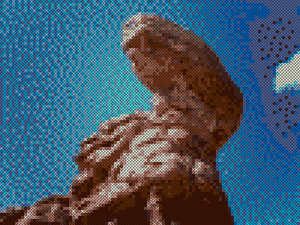
Without image enhancement
For illustrations, shrink the image in an image editor on your machine and then clean up the blurry parts by hand. When MyPhotoStitch.com creates a pattern, it first shrinks your image down so that it is 1 pixel per stitch. However, the resizing algorithms are optimized for photographs, and so for illustrations they may cause undesired blurring and ugly results, especially when using a relatively small number of colors. For example, when converting the following image into a 20x23 pattern using only 4 thread colors, the results are not ideal. However, by manually shrinking the image down to 20x23 and touching it up, the result becomes much better:

Original Image

Original Pattern

Resized Image

Resized Pattern
For images with a complex background, use an image editor to remove the background. This helps especially if you are looking for a simpler pattern that uses fewer thread colors. For example, if you wanted to cross stitch a mountain tapir using at most 10 thread colors, removing the background can significantly help. Furthermore, the resulting pattern has far fewer stitches, and so should be easier and faster to complete.

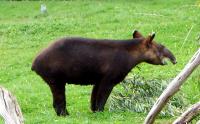
Original Photo by Elissa Berver
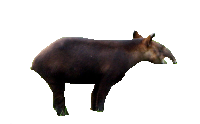
Original with background removed
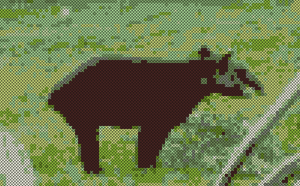
Pattern without removing the background
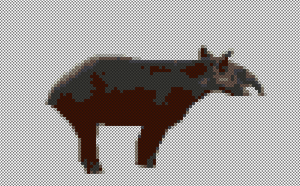
Pattern with background removed
For more tips, layden with stitches has a guide with additional, advanced suggestions for generating better cross stitch patterns from photos.